Introduction to Flutter and App Development
In recent years, mobile applications have become integral to everyday life, transforming the way individuals interact, shop, work, and entertain themselves. As the demand for innovative mobile solutions continues to surge, developers are on the lookout for frameworks that can efficiently facilitate app creation and deployment. One such framework gaining significant traction is Flutter.
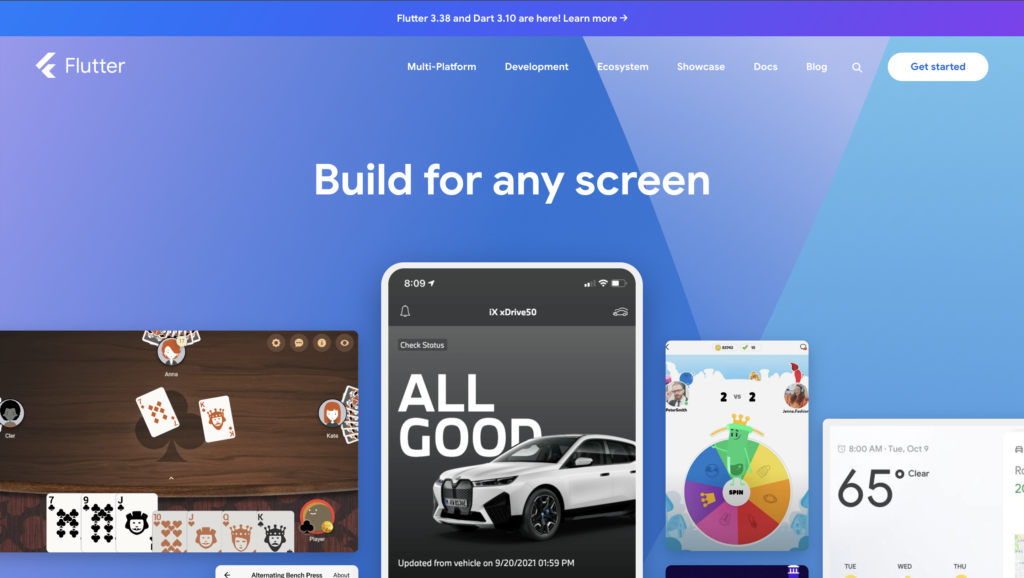
Flutter is an open-source UI software development toolkit created by Google, enabling developers to build natively compiled applications for mobile, web, and desktop from a single codebase. Launched in 2017, it has gained popularity due to its functionalities and ease of use. The framework utilizes the Dart programming language, which is known for its speed and performance, allowing developers to create highly responsive applications with appealing interfaces.
The significance of Flutter in mobile app development lies in its ability to reduce the time and effort needed to develop cross-platform applications. Since developers can write code once and deploy it across multiple platforms, Flutter minimizes redundancy and streamlines the workflow. This is particularly valuable for startups and independent developers who often have limited resources. Furthermore, Flutter’s rich widget catalog and comprehensive documentation enhance the development experience, making it more enjoyable and efficient.
In selecting Flutter for this project, various factors were considered, including its performance capabilities, the growing community support, and the potential to create visually engaging applications. Additionally, the importance of having a well-defined idea before initiating the development process cannot be overstated. A solid concept serves as the foundation for success, guiding developers through the design and implementation phases. Understanding the target audience and market demands is crucial in ensuring that the final product aligns with users’ needs and expectations.
Identifying the App Idea
The journey of building a successful app begins with identifying a compelling idea that resonates with a target audience. This process involves multiple stages, starting with brainstorming potential concepts that address specific needs within a given market. It is crucial to cultivate a plethora of ideas without immediately discarding any, as this creative flow can lead to unexpected and innovative solutions.
Following the brainstorming session, the next step is to conduct thorough market research. This involves examining existing applications within the same niche and understanding their strengths and weaknesses. Analyzing competitor offerings helps in identifying gaps that your app can fill, thus ensuring it has a unique selling proposition. Tools such as surveys, online forums, and social media groups can provide valuable insights into user pain points and preferences, which play a pivotal role in shaping the app’s features.
Once a list of potential app ideas has been curated, validating these concepts through user feedback becomes essential. Engaging with potential users through prototypes or minimum viable products (MVPs) allows developers to gather real-world opinions and gauge interest. This iterative feedback loop enables adjustments that align the app idea more closely with user expectations. By sharing a preliminary version of the app or simply discussing the idea with target demographic groups, developers can refine their vision and ensure that the final product is tailored to the needs of its users.
The ultimate aim is to align the app idea with the expectations of the target audience, creating a product that is not only functional but also enjoyable and meaningful to its users. This alignment significantly increases the chances of the app’s success upon its launch on platforms such as the Play Store.
Planning the App Features and Design
Embarking on the journey of developing a Flutter app necessitates a well-structured planning phase, particularly focusing on the app’s features and overall design. This stage is critical for ensuring that the application meets user expectations and provides an intuitive experience. The first step in this process involves outlining the core features of the application. To achieve this, I utilized user stories, which are narratives that describe how a user interacts with the app. These stories enabled me to capture user requirements clearly and align them with the functionality of the app.
Next, I proceeded to create wireframes. Wireframing is an essential technique that allows developers and designers to visualize the layout and functionality before proceeding to detailed design or coding. Using tools such as Balsamiq and Figma, I crafted low-fidelity wireframes to map out the application’s structure without delving into the finer details. This iterative process provided the flexibility to make changes based on feedback received from peers and potential users.
Additionally, establishing a design system was paramount in maintaining consistency throughout the application. A cohesive design system outlines the visual style, including typography, color schemes, and component guidelines, ensuring uniformity in all interfaces. Utilizing Figma again, I developed a comprehensive design library that served as a reference point during both the design and development phases, reducing discrepancies and streamlining collaboration.
Overall, effective planning of app features and design is crucial for the development of a user-centric Flutter application. It lays the groundwork for a seamless and engaging user experience, ultimately impacting the app’s success in the competitive landscape of the Play Store.
Setting Up the Development Environment
To embark on the journey of building a Flutter app, establishing an appropriate development environment is essential. Flutter, developed by Google, provides a robust framework for building natively compiled applications for mobile, web, and desktop from a single codebase. The first step involves downloading the Flutter SDK, which serves as the backbone of Flutter development. This SDK can be obtained from the official Flutter website. The installation guide provided there details specific requirements for different operating systems including Windows, macOS, and Linux.
Once the Flutter SDK is installed, it is crucial to set up the integrated development environment (IDE). While Flutter supports several IDEs, Visual Studio Code and Android Studio are the most commonly used options. Visual Studio Code offers a lightweight experience and is accompanied by various extensions that enhance productivity. On the other hand, Android Studio, with its comprehensive tools for Android development, is particularly beneficial for developers focused on mobile applications.
During the setup process, challenges may arise, such as configuring environment variables or managing dependencies. One common issue encountered is the integration of the Android emulator, which is vital for testing Android applications. This can often be resolved by ensuring that the necessary system images are installed in the Android SDK manager. Moreover, running the command “flutter doctor” in the terminal can help identify and troubleshoot issues in the configuration.
In addition to these elements, attention must be paid to the device setup, whether using emulators or physical devices. It is important to enable developer options on Android devices for seamless testing. Thoroughly following the installation processes and utilizing community resources can significantly streamline the setup experience. Investing time in proper configuration ensures a smooth development experience when working on a Flutter app.
Building the App: Coding and Development
The journey of building a mobile application using Flutter begins with the coding and development process. At the heart of this journey is Dart, the programming language that powers Flutter. Dart’s syntax is both intuitive and expressive, making it an excellent choice for developers looking to create high-performance applications. Flutter’s rich set of pre-built widgets facilitates a rapid development cycle, allowing developers to piece together user interfaces quickly, while also providing high customizability.
During the development process, following best coding practices is crucial for maintaining a clean and scalable codebase. This includes adhering to the principles of object-oriented programming, such as encapsulation and inheritance, which are naturally supported by Dart. Additionally, employing naming conventions and code organization through Dart packages can significantly enhance readability and maintainability of the code.
Utilizing libraries and plugins further enhances the functionality of a Flutter app. Popular packages such as ‘Provider’ for state management, ‘Dio’ for HTTP requests, and ‘CachedNetworkImage’ for efficient image loading are just a few examples that can save significant development time and offer robust features. Integrating these libraries allows developers to focus on building unique features instead of reinventing the wheel. Collaboration with other developers is also a pivotal element, especially when leveraging version control systems like Git. This encourages code reviews and collective problem-solving, which can lead to more efficient and effective coding practices.
Moreover, Flutter’s widget-based architecture not only promotes reusability but also allows developers to effortlessly test individual components of the application. By employing tests at both the widget and unit levels, one can ensure reliability and performance-centric development, paving the way for a smoother launch process.
Testing the App for Quality Assurance
Testing plays a crucial role in the development of any mobile application. For my Flutter app, I implemented various testing methods to ensure high standards of quality assurance, focusing on unit tests, integration tests, and user acceptance testing. Each method served a specific purpose in identifying issues and improving overall performance.
Unit tests were the first line of defense in ensuring the individual components of my app functioned correctly. They allowed me to isolate specific pieces of code, ensuring each function performed its intended task without errors. By utilizing the Flutter testing framework, I could write and execute these tests efficiently, making it easier to catch bugs early in the development process.
Moving beyond unit tests, integration tests were conducted to verify the interaction between different components of the app. These tests assessed how various modules worked together, allowing me to identify and resolve any incompatibilities. This step was essential for maintaining a seamless user experience, as it enabled me to ensure that the user interface and backend services communicated effectively.
Lastly, user acceptance testing (UAT) was conducted to gather feedback from real users. This phase was critical, as it provided insights into how the app performed in real-world scenarios. Users were presented with specific tasks to complete, and their experiences were closely monitored. Their feedback highlighted any unforeseen issues that needed to be addressed before the app’s launch.
Throughout the testing phase, identifying bugs was of paramount importance. This process allowed for systematic debugging, leading to a more polished application. The feedback gathered from UAT not only aided in rectifying existing issues but also informed future updates and enhancements. Such comprehensive testing methodologies ensured that the final product was not only functional but also aligned with user expectations.
Preparing for Launch on the Play Store
Preparing for the launch of an app on the Play Store involves a comprehensive approach that encompasses several strategic steps. First and foremost, creating an enticing app store listing is crucial. This includes crafting a compelling app title and description that succinctly convey the app’s functionality and unique features, utilizing relevant keywords to enhance search discoverability. High-quality screenshots and promotional videos also play a pivotal role in showcasing the app’s interface and overall user experience. By providing potential users with a visual understanding of the app, you increase the likelihood of downloads.
Compliance with Play Store guidelines is another critical component of the launch preparation process. Reviewing the guidelines ensures that the app meets all necessary requirements, avoiding potential rejection on launch day. This includes adhering to regulations regarding content, permissions, and privacy policies. Additionally, it’s advisable to perform thorough testing to identify and fix any bugs or usability issues prior to submission.
Marketing strategies are equally essential for a successful launch. Prior to the official release, building a pre-launch buzz can significantly impact the app’s initial visibility. Tactics such as social media teasers, influencer collaborations, and email campaigns can generate excitement and anticipation among potential users. Engaging with target audiences early on creates a sense of community and encourages people to rally around your app. Furthermore, offering limited-time promotions, such as discounts or exclusive in-app features, can incentivize early downloads and foster user engagement.
In summary, the preparation for launching an app on the Play Store is multi-faceted, involving meticulous attention to listing details, strict adherence to compliance guidelines, and effective marketing strategies. By employing these tactics, developers can enhance their app’s chances of success in a competitive marketplace.
Launching the App and Gathering Feedback
The day of the app launch was filled with a mix of excitement and anxiety. After months of hard work, the app was finally live on the Play Store. The first few hours were crucial as the app steadily began to gain traction. Despite a seamless launch on our end, there were challenges that arose unexpectedly. Some users reported issues with the app’s interface, while others faced difficulties related to performance on certain devices. Promptly addressing these issues was vital for maintaining a positive user experience.
The initial user feedback was invaluable. Within the first days, we observed a surge in downloads, surpassing our expectations. User reviews started coming in, providing insights into what worked well and what needed improvement. Many users appreciated the app’s intuitive design and functionality, but constructive criticism around loading times and specific feature requests helped delineate areas for potential updates.
Engaging with users was an essential part of this phase. We promptly responded to reviews and reached out to users who reported issues, thanking them for their feedback and detailing how we planned to address their concerns. This proactive approach fostered a sense of community and trust, encouraging more users to share their experiences.
As we began to analyze download statistics alongside user feedback, it became clear that leveraging this data would inform our roadmap for future updates. Understanding patterns like user retention and where users dropped off was critical in refining our app to better meet their needs. By valuing user input, we set the stage for an iterative improvement process that not only enhanced user satisfaction but also strengthened our engagement strategy for future developments.
Conclusion and Lessons Learned
The journey from the initial idea to launching a Flutter app on the Play Store is both rewarding and enlightening. Throughout this process, I faced numerous challenges and learning opportunities that shaped my development skills and understanding of the app market. Embracing Flutter not only accelerated my app development tasks due to its robust framework and widget-based architecture but also allowed for a smooth cross-platform experience, which is crucial in today’s mobile-first world.
One of the most significant lessons learned was the importance of validating the app idea before diving into development. Conducting thorough market research and user feedback sessions helped refine the app concept, ensuring that it met the needs of the target audience. This proactive approach saved time and resources and increased the likelihood of success post-launch.
Additionally, I discovered that maintaining a clear project timeline and setting achievable milestones is critical for staying organized. This practice not only helped me track progress but also kept motivation high, especially during challenging phases of development. More importantly, I realized that adapting to feedback and being open to making necessary changes during the development process is vital. It is easy to become attached to a particular feature or design, but user-centered adjustments can significantly enhance the app’s overall quality.
For aspiring app developers considering Flutter, I recommend leveraging the vast array of resources available, including documentation, community support, and tutorials. Engaging with the development community can provide invaluable insights and guidance. Finally, don’t forget to celebrate each milestone, no matter how small, as it fosters motivation and enhances the overall journey. Launching an app is not just about the end goal but also about the growth that occurs throughout the process.